


Introduction
Welcome to my article. Today I will demonstrate what delegates are and how to use them to call managed code and unmanaged code.
Managed Code Versus Unmanaged Code
In short: managed code is code that is written in the .NET Framework with C# or VB.NET for example. Unmanaged code is code written in any language that is not .NET. This is most commonly languages such as C or C++ as they are known as low level languages that can call the Operating System’s methods directly. Have a look at Managed code and unmanaged code in .NET, which explains this difference better. This brings me to my next topic: API
APIs
Have a look Wikipedia’s Application programming interface for a detailed explanation of APIs
Delegates
A delegate is simply a type that represents a reference to physical methods with the same parameter list and return type. OK, what does that mean in simple terms? A delegate is basically a substitute for a method with the same return type and with the same signature. We make use of a delegate when we cannot access certain threads directly (as explained in this article), or when we need to ensure that managed and unmanaged code can be executed properly.
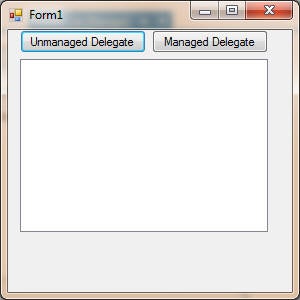
Add the Function to handle the Unmanaged code’s execution:
	'Function To CAll APIs
    Public Function DisplayRunningApps(ByVal hWnd As IntPtr, ByVal lParam As Int32) As Boolean

		Dim sbStrings As New StringBuilder(BufferSize) 'To Host App Names

        If GetWindowText(hWnd, sbStrings, BufferSize) <> 0 Then 'Get Text Of Open Window

            lstDelegates.Items.Add(sbStrings.ToString()) 'Add To ListBox

        End If

        Return True

    End Function
The DisplayRunningApps function displays the captions of all active windows and adds each to a StringBuilder object, which ultimately gets added to the ListBox. Add the following code behind the button labelled “Unmanaged Delegate“:
	Private Sub btnUnmanaged_Click( sender As Object,  e As EventArgs) Handles btnUnmanaged.Click
		' Unmanaged Code From API
		EnumWindows(AddressOf DisplayRunningApps, 0)

    End Sub
Voila! You have now successfully called unmanaged code through a delegate.
Add a class inside Form 1 and give it a method to be called from Form 1:
    Public Class ClassForStringSubDelegate

        Public Sub ShowMessage(ByVal strTemp As String)

		    MessageBox.Show(strTemp ) 'Show MessageBox

        End Sub

    End Class
This small example will just show how to use a delegate to call managed code from a separate class. Now, add the following code inside the button labelled “Managed Delegate“:
	Private Sub btnManaged_Click( sender As Object,  e As EventArgs) Handles btnManaged.Click
		'Managed
		Dim clsStringDelegate As New ClassForStringSubDelegate 'Create Instance Of Separate Class

        Dim delManaged As StringSubDelegate 'Specify Delegate

        delManaged = AddressOf clsStringDelegate.ShowMessage 'Give It Something To Do

        delManaged.Invoke("Hello") 'Do It

	End Sub
Here, I instantiate the class we created above, and make use of the Invoke method of our delegate to execute the appropriate code. This code simply produces a MessageBox that says ‘Hello‘.
Conclusion
Short and sweet. I hope that you have benefited from this article and that you will put your knowledge of delegates to good use. Until next time, cheers!