


.NET has come a long way since the early 2000s. When the .NET Framework was launched, a new revolution began. Not long after the original .NET Framework was released, the .NET Compact Framework was released. .NET Compact Framework was released with Windows Mobile in mind, nothing else. Silverlight later emerged, then Windows Phone—all with different subsets of the .NET Framework.
Now, 15 years later, .NET not only consists of the .NET Framework, but .NET Core and Xamarin as well. The developer landscape has shifted tremendously during .NET’s lifetime. Now, instead of having to develop solely for Microsoft systems, .NET is able to cater for other operating system, such as Linux and macOS as well. Instead of having to develop solely for operating system and Web platforms, .NET can cater to Cloud services and mobile operating system, such as iOS and Android as well.
How is this possible?
- .NET Framework can be used to build Windows desktop applications and ASP.NET Web apps running on IIS.
- .NET Core can be used to build cross-platform console apps, ASP.NET Core Web apps, and Cloud services for Windows, Linux, and macOS.
- Xamarin can be used to build mobile applications for iOS and Android, as well as desktop apps for macOS.
This means that you have to learn these three platforms of .NET to write code that works across all of them, similar to learning Silverlight and the .NET Compact Framework in the past. This is where .NET Standard comes in. With .NET Standard, you only have to master one platform, which will be able to run on all .NET platforms.
.NET Core
.NET Core is a cross-platform, open source .NET implementation that has been ported from .NET Framework and Silverlight. .NET Core is optimized for server and mobile workloads by enabling self-contained XCOPY deployments.
.NET Core has the following characteristics:
- Open source: The .NET Core platform is open source.
- Cross-platform: Runs on Windows, macOS, and Linux.
- Flexible deployment: .NET Core can be included in your app or installed side-by-side.
.NET Core is composed of the following parts:
- Framework libraries that provide primitive data types, app composition types, and fundamental utilities.
- .NET runtime that provides assembly loading, a type system, native interop, as well as a garbage collector.
- SDK tools and language compilers that enable the base developer experience.
- The ‘dotnet’ app host, which is used to launch .NET Core apps.
You can download the .NET Core from here. You can download and install the .NET Core Runtime (see Figure 1).
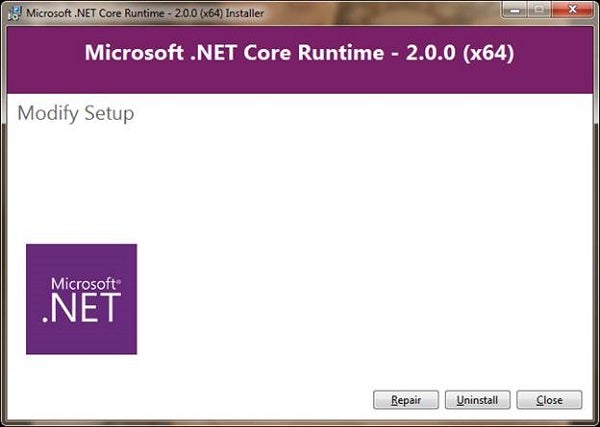
Figure 1: Install .NET Core
You can also install the .NET Core SDK, as shown in Figure 2:
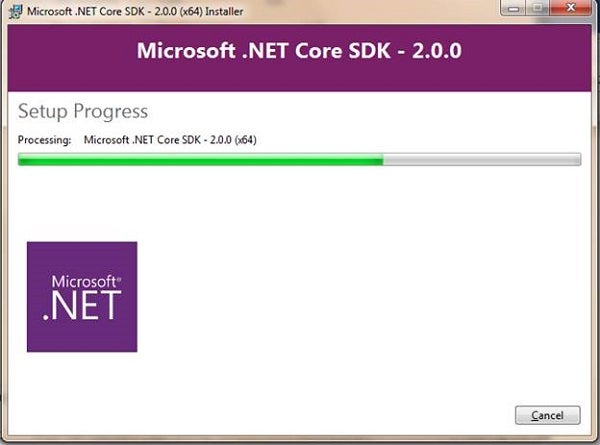
Figure 2: .NET Core SDK
.NET Standard
.NET Standard provides .NET compatibility across all its platforms: .NET Framework, .NET Core, and Xamarin. .NET Standard is a set of APIs that all .NET platforms have to implement. Every .NET Standard version defines the set of APIs that all .NET implementations must provide to conform to that version.
.NET Standard ensures that all .NET platforms share the same API shape for the base class library. If you have learned how to use it in your desktop applications, for example, you would know how to use it in your mobile apps or your Cloud services.
Most .NET Standard class libraries eventually will become available everywhere, meaning that the consistency at the base layer also will apply to the larger .NET library ecosystem.
Now that you have downloaded and installed the latest version of the .NET Core and its SDK, you are able to create apps that target .NET Standard 2.0.
To confirm that you are able to target .NET Standard 2.0, you can open up your Command Prompt and type the following:
dotnet -version
as shown in Figure 3:
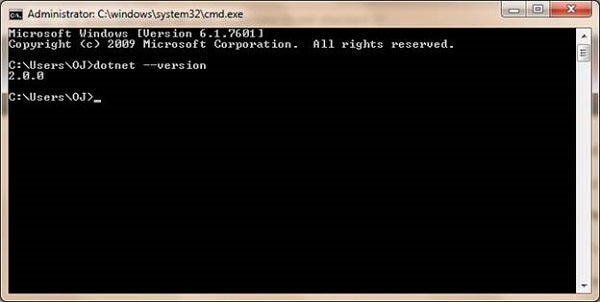
Figure 3: Command Prompt window
To create a new .NET Standard project, Open Visual Studio and select New Project. In the list you, will see a .NET Standard option; choose it and enter a name, as shown in Figure 4.
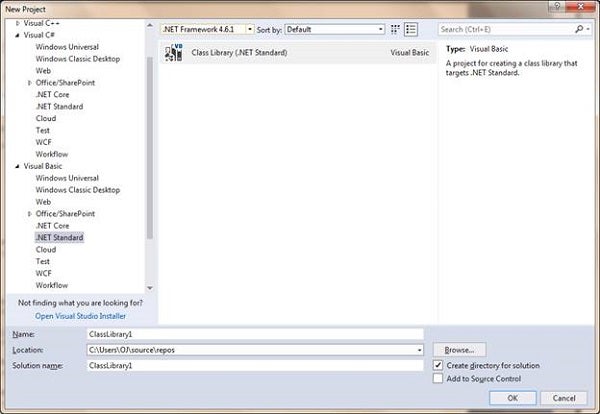
Figure 4: New .NET Standard project
If you were to open your project’s properties by selecting Project, ProjectName Properties, you will see that your app does indeed target .NET Standard 2.0 (see Figure 5).
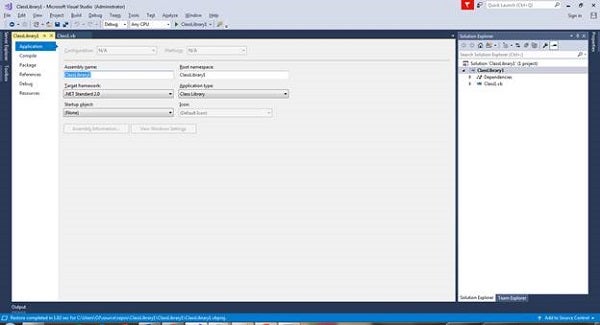
Figure 5: Properties
Add the following code:
Public Sub New()
   Console.WriteLine("Hello .NET Standard 2.0!")
End Sub
This just shows a nice welcoming message whenever this class gets initialized.
Add a new Project by selecting File, Add New Project. This adds a new project to your solution. You now need to reference the .NET Standard 2.0 Class library that you have created earlier, by selecting Project, Add Reference, and selecting the project displayed, as shown in Figure 6:
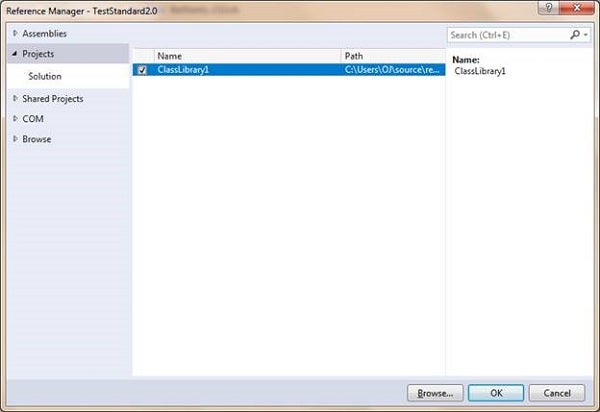
Figure 6: Reference .NET Standard 2.0 Class Library
Add a button to your Form, and then add the following code to your Windows Forms project:
Imports ClassLibrary1
Public Class Form1
   Private Sub Button1_Click(sender As Object, e As EventArgs) _
         Handles Button1.Click
      Dim c As New ClassLibrary1.Class1


   End Sub
End Class
Set your Windows Forms project as the Startup project. Run your project and click the button. Observe the Output Window:

Figure 7: Output from .NET Standard 2.0 Library
The Output window shows the message from your .NET Standard 2.0 Library.
Conclusion
.NET keeps evolving. .NET Standard 2.0 is just the beginning of a new open source era.