


Translucent/Transparent Windows in VB (1)
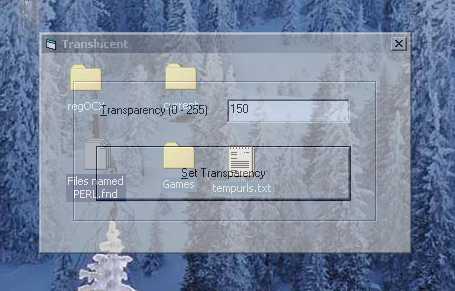
Definitions
Transparent: Fully see-through
Translucent: Partly transparent
Introduction
In this two-part article, I discuss how to get translucent/transparent windows. I’m writing two parts because I don’t want to confuse anyone.
And, to keep things simple, I will not discuss the theory behind translucency in either part of this article. Part 1 will show you how to make the whole window translucent/transparent (the whole VB Form, including controls). The second part will show you how to make certain parts of the window transparent by using a color value. Here we go….
Just make these three API calls and you get a translucent/transparent window:
- GetWindowLong
- SetWindowLong
- SetLayeredWindowAttributes
GetWindowLong returns the window’s attributes. We are interested in the GWL_EXSTYLE attribute.
Public Declare Function GetWindowLong Lib "user32" Alias
"GetWindowLongA" (ByVal hwnd As Long, ByVal nIndex As Long) As Long
   hwnd : Handle to window(VB Form) ex. Me.hwnd
nIndex: offset of attribute (ex. GWL_EXSTYLE)
Return Value: The value of the requested attribute. For example:
dim attrib as long
   attrib = GetWindowLong(Me.hwnd, GWL_EXSTYLE)
We will use the value returned in the SetWindowLong function.
SetWindowLong sets the window’s attributes. Again, we are interested in the GWL_EXSTYLE attribute.
Public Declare Function SetWindowLong Lib "user32"
       Alias "SetWindowLongA" (ByVal hwnd As Long, ByVal _
       nIndex As Long, ByVal dwNewLong As Long) As Long
hwnd: Handle to window(VB Form) ex. Me.hwnd
nIndex: offset of attribute(ex. GWL_EXSTYLE)
Example:
dim attrib as long
   attrib = GetWindowLong(Me.hwnd, GWL_EXSTYLE)
   SetWindowLong Me.hwnd, attrib OR WS_EX_LAYERED
GWL_EXSTYLE must be set to WS_EX_LAYERED because the Set SetLayeredWindowAttributes function requires a handle to a layered window.
SetLayeredWindowAttributes is responsible for translucency.
Public Declare Function SetLayeredWindowAttributes Lib _
   "user32" (ByVal hwnd As Long, ByVal color As _
   Long, ByVal bAlpha As Byte, _
   ByVal alpha As Long) As Boolean
hwnd: Handle to layered window. For example, Me.hwnd.
color: Color used to make areas of a window completely transparent (see Translucent/Transparent Windows in VB, Part 2).
bAlpha: Value between 0 (transparent) and 255 (opaque) for alpha blend function.
Flag: Value between 1 and 3. We will use 2 (alpha) in this part, and we will use 1 (ColorKey), 2, and 3 (Both) in Part 2 of this article.
The way it works is that we get the current GWL_EXSTYLE by using GetWindowLong, and then we make it layered by using an OR operation between its current value and WS_EX_LAYERED by using SetWindowLong, and finally we make it translucent by using SetLayeredWindowAttributes.
Okay. We have all our tools and we know what to do, so let’s do it. I decided to make a little Sub SetTranslucent for the job.
Sub SetTranslucent(ThehWnd As Long, nTrans As Integer)
On Error GoTo ErrorRtn

   Dim attrib As Long

   'put current GWL_EXSTYLE in attrib
   attrib = GetWindowLong(ThehWnd, GWL_EXSTYLE)

   'change GWL_EXSTYLE to WS_EX_LAYERED - makes a window layered
   SetWindowLong ThehWnd, GWL_EXSTYLE, attrib Or WS_EX_LAYERED

   'Make transparent (RGB value does not have any effect at this
   'time, will in Part 2 of this article)
   SetLayeredWindowAttributes ThehWnd, RGB(0, 0, 0), nTrans, _
                                       LWA_ALPHA
   Exit Sub

ErrorRtn:
MsgBox Err.Description & " Source : " & Err.Source

End Sub
Now, just call the sub:
Private Sub Form_Load()
   SetTranslucent Me.hwnd, 150
End Sub
That’s all there is to it. In Part 2, I discuss how to make ‘holes’ in your window by sending a ColorKey and a flag to the SetLayeredWindowAttributes function.