


Introduction
This simple article will demonstrate how a CLIENT application can find its SERVER in a network by using a Windows feature called Mailslot. You can download the demo project and source code at the end of this article.
A Server that BROADCASTs its IP and PORT
Every TCP/IP CLIENT application requires a SERVER IP and PORT to get connected to it. However, when the SERVER IP or/and PORT changes, all CLIENTS must be aware; otherwise, they can not communicate anymore.
How to Make the Server Broadcast Data to a Network
The Windows platform offers a mechanism called Mailslot that is an IPC (Inter-Process Communication) where applications are able to send message-packets (DATAGRAMS) over the network either to a specific computer or to all computers in a specific domain.
A Simple Message Must be Defined
Before showing how Mailslot can be implemented, is worth mentioning that a simple message-packet must be recognized for both sides. The source code contains two projects, msserver and msclient. Both share ms_protocol.h that defines a simple message:
#define MS_MESSAGE_ID 0xaabbccdd

typedef struct _MS_MESSAGE_
{

   DWORD msg_id;       // MS_MESSAGE_ID
   char  ipStr[20];    // Server IP (string format)
   DWORD ip;           // Server IP (numeric format)
   UINT  port;         // Server PORT

} MSMESSAGE;
MSMESSAGE is the message that the SERVER is going to broadcast every second. Notice that there is no answer to send back by the CLIENT. It receives the message and uses information received to start a TCP/IP STREAM connection with SERVER.
Testing the Applications
The project was first coded by using the old VC++ 6 compiler. I have updated it to VS 2005. Both applications are console applications. If you have an older compiler, you won’t have a problem in re-creating the projects and building them. The best way to test is on a network having CLIENTs on different machines. But, you can test on a single machine too.
Starting msserver (SERVER), you get a console window that shows IP and PORT in use (see Figure 1).
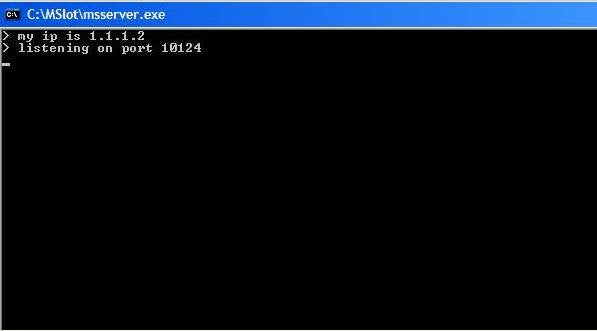
Figure 1
Immediately after being started, msserver begins to broadcast its position (IP and PORT—see the msserver.cpp, ServerBroadcastThread function). Notice how message-packet sending is done when using mailslots: The CreateFile and WriteFile functions are used.
CreateFile opens, in this case, not a file but a mailslot named “\\\\*\\mailslot\\@_MSClient_@”. Notice the naming convention: * means all computers that are reading a mailslot named “\\\\.\\mailslot\\@_MSClient_@”. Then, the CLIENT instances over the network open and read mailslots with that name.
If you want, you might use a sniffer to check what the server is broadcasting (see Figure 2).
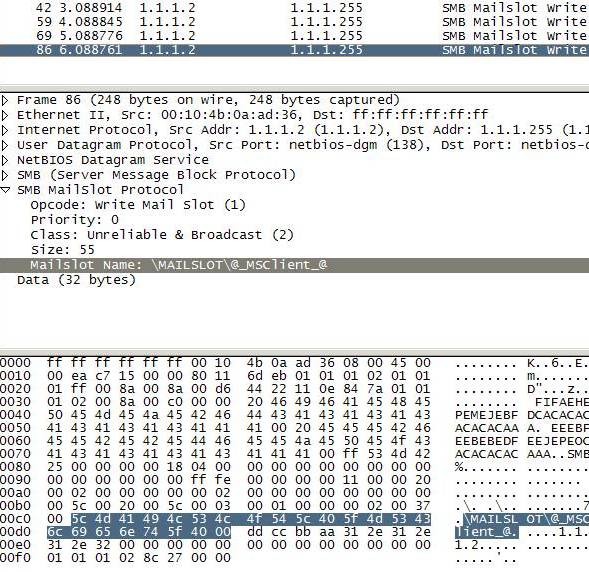
Figure 2
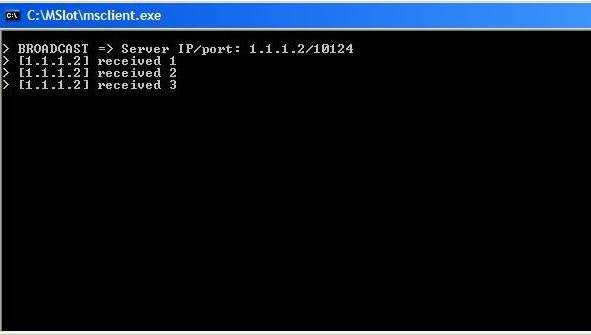
On starting msclient (CLIENT), you will see the following (see Figure 3):
Figure 3
Each CLIENT instance creates a mailslot namedd “\\\\.\\mailslot\\@_MSClient_@” and starts reading it (in fact, you can have one process using that name each time—see msclient.cpp to learn how to handle that). After it gets the SERVER message-packet, it configures a STREAM socket connection and starts a kind of “PING” with the SERVER.
CreateMailslot is the function used to create a mailslot and ReadFile to read from it. You can have more than one CLIENT per machine. SERVER is a multi-thread application and it can handle many CLIENTs at time.
So, remember the following:
| Writing to a Mailslot | CreateFile | WriteFile |
| Reading from a Mailslot | CreateMailslot | ReadFile |
Enjoy. Hope this helps.