


Introduction
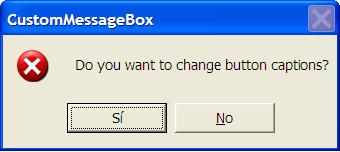
Have you ever wanted to change the button captions for Message Boxes? MFC does not provide any means for making this customization. The button captions (Yes, No, Ok, and so forth) are changed according the system language installed in the machine.
The following code shows how to change button captions in standard windows AfxMessageBoxes. The captions in the message boxes will be defined as String Tables in the program Resources. It was started from CBT Message Box from Tony Varnas: https://www.codeguru.com/Cpp/W-P/win32/messagebox/article.php/c4541/.
Tony’s article describes how to center a Message Box; Ib’ll use the same idea to change the MessageBox captions. To place the windows hook described in his article, you will need to override the application DoMessageBox(LPCTSTR lpszPrompt, UINT nType, UINT nIDPrompt). This function calls the system MessageBox function that you will replace with your own to place the hook before it’s called.
Steps to Customize Message Box Captions
- Override your application DoMessageBox(LPCTSTR lpszPrompt, UINT nType, UINT nIDPrompt) function.
- Replace the call to MessageBox(hWnd,LPSTR(lpszPrompt),LPSTR(pszAppName),nType); with
CBTMessageBox(hWnd,LPSTR(lpszPrompt),LPSTR(pszAppName),nType); - Declare CBTMessageBox functions to place the windows hook before calling the MessageBox function.
- Override the LRESULT CALLBACK CBTProc function to catch HCBT_ACTIVATE code.
- Define your own captions in the string table.
#include <windows.h>
#include "afxpriv.h"

//////////////////////////////////
//1) Declare functions

INT CBTMessageBox(HWND,LPSTR,LPSTR,UINT);
LRESULT CALLBACK CBTProc(INT, WPARAM, LPARAM);

HHOOK hhk;

INT CBTMessageBox(HWND hwnd, LPSTR lpText, LPSTR lpCaption,
                  UINT uType)
{
   hhk = SetWindowsHookEx(WH_CBT, &CBTProc, 0,
                          GetCurrentThreadId());
   return MessageBox(hwnd, lpText, lpCaption, uType);
}

LRESULT CALLBACK CBTProc(INT nCode, WPARAM wParam, LPARAM lParam)
{
   HWND hChildWnd;    // msgbox is "child"
   CString s=_T("");
   // notification that a window is about to be activated
   // window handle is wParam
   if (nCode == HCBT_ACTIVATE)
   {
      // set window handles
      hChildWnd = (HWND)wParam;
      //to get the text of the Yes button
      UINT result;
      if (GetDlgItem(hChildWnd,IDYES)!=NULL)
      {
         s.LoadString(IDS_Yes);
         result= SetDlgItemText(hChildWnd,IDYES,s);
      }
      if (GetDlgItem(hChildWnd,IDOK)!=NULL)
      {
         s.LoadString(IDS_OK);
         result= SetDlgItemText(hChildWnd,IDOK,s);
      }
      //Continue changing other button captions

      // exit CBT hook
      UnhookWindowsHookEx(hhk);
   }
   // otherwise, continue with any possible chained hooks
   else CallNextHookEx(hhk, nCode, wParam, lParam);
   return 0;
}