


Clipboard Viewer
The following tool shows a simple Clipboard viewer application. There are several examples of Clipboard usage in MSDN documents. With them, I have made this tool as a spy to understand and debug Clipboard exchanges. It uses a particular feature of linking an application with the Windows Clipboard to allow you to make a viewer.
This tool displays the Clipboard data format available and allows you to choose to display corresponding data in real time (at the time it was taken in Clipboard). It’s possible to display it in hexa format or, if for several formats, in a true format (for example: image for dib or bitmap, text for simple text format). This program is also an example of Clipboard usage with Windows MFC.
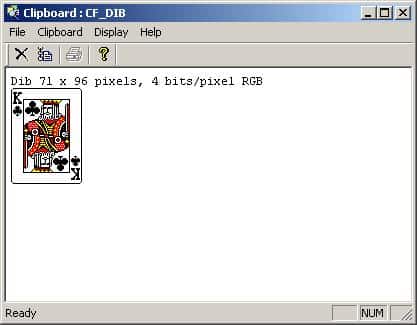
Clipboard Viewer Windows (Microsoft Aide)
A Clipboard viewer window displays the current content of the Clipboard and receives messages when the Clipboard content changes. To create a Clipboard viewer window, your application must do the following:
- Add the window to the clipboard viewer chain.
- Process the WM_CHANGECBCHAIN message.
- Process the WM_DRAWCLIPBOARD message.
- Remove the window from the Clipboard viewer chain before it is destroyed.
A window adds itself to the Clipboard viewer chain by calling the SetClipboardViewer function. The return value is the handle to the next window in the chain. To retrieve the handle to the first window in the chain, call the GetClipboardViewer function. Each Clipboard viewer window must keep track of the next window in the Clipboard viewer chain. When the contents of the Clipboard changes, the system sends a WM_DRAWCLIPBOARD message to the first window in the chain.
After updating its display, each Clipboard viewer window must pass this message on to the next window in the chain. Before closing, a Clipboard viewer window must remove itself from the Clipboard viewer chain by calling the ChangeClipboardChain function. The system then sends a WM_CHANGECBCHAIN message to the first window in the chain.