


Apache Cassandra: an Introduction
Apache Cassandra is an open source big data database used for storing large volumes of structured data. It is originally based on the Facebook’s Dynamo and Google’s Big Table. Like other big data databases, Apace Cassandra is a NoSQL database; it is not a relational database like SQL Server.
Following are the key components that form the basis of the Apache Cassandra data model:
- Keyspace: For easy understanding, it can be compared to a Database in RDBMS
- Column Family: Similar to an RDBMS table
- Column: A container for a row with no definite columnar schema
- Partition Key: A key to identify the column
What’s Special?
There are other big data databases, such as MongoDB, HBase, and so forth, but there are a few special characteristics for Cassandra. Here are a few of them:
- Supports distributed architecture
- The data can be distributed in a data center under a cluster of nodes.
- It can be scaled up across multiple data centers.
- There is no master/slave model. Each node does the same as its peer. It is a peer-to-peer model.
- High availability: Each replication has a powerful failover mechanism.
- Linearly scalable with zero downtime: Increase the throughput simply by adding an additional node without bringing down the system.
Try It Out on Windows
Mostly, .NET developers will have a Windows machine and they don’t have to worry about trying out Cassandra on a Windows OS. You can download Casandra for Windows. It will work as a single node cluster.
Once the installation is complete, you will get the CQL Shell (Cassandra Query Language) tool for Cassandra. It is the current client console for working with the Cassandra database. Figure 1 shows the CQL shell.
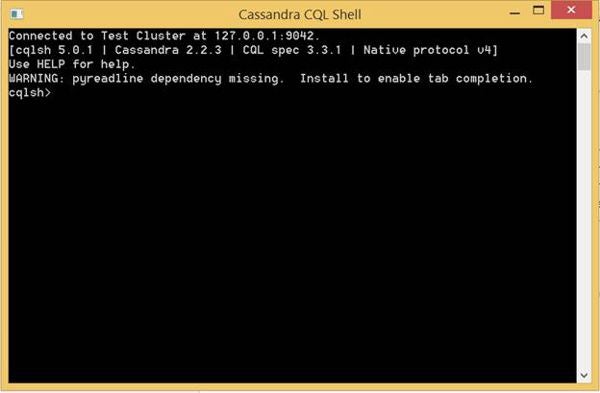
Figure 1: The CQL shell
In the CQL window, write following the command to create a Keyspace.
cqlsh> CREATE KEYSPACE demo WITH replication =
   {'class':'SimpleStrategy','replication_factor':1};
cqlsh> USE demo;
cqlsh:demo>
Now, create ColumnFamilies or Tables, then insert a couple of records using the statements provided below.
cqlsh:demo> CREATE TABLE employees(
   ... first_name text,
   ... last_name text,
   ... age int,
   ... email text,
   ... PRIMARY KEY(first_name));
cqlsh:demo> INSERT INTO employees (first_name, last_name,
      age, email) VALUES
   ... ('Rob', 'Williams', 27, 'xx@yy.com');
Figure 2 shows the values selected using the SELECT query on the CQL shell.
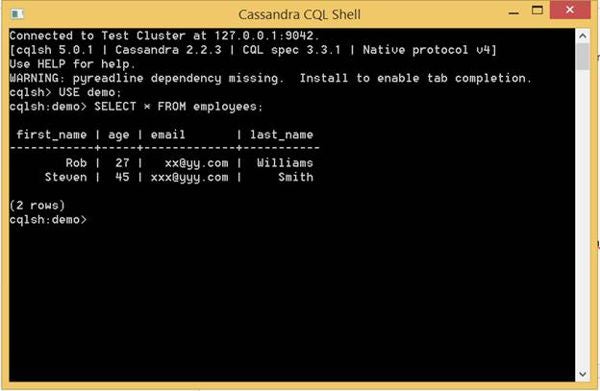
Figure 2: Result of using the SELECT query
Use Cassandra in a .NET World
In this section, let us connect to the Casandra Keyspace that we created from a .NET framework console application. Create a Console Application and include the NuGet package CassandraCSharpDriver from DataStax. Add the following code in the Program.cs to connect to the demo keyspace.
namespace CassandraDatabaseDemo
{
   class Program
   {
      static void Main(string[] args)
      {
         Builder cassandraBuilder = Cluster.Builder();
         cassandraBuilder.AddContactPoint("127.0.0.1");

         var cluster = cassandraBuilder.Build();

         ISession session = cluster.Connect("demo");

         RowSet rowSet = session.Execute("select *
            from employees");

         foreach (var row in rowSet)
         {
            Console.WriteLine(row[0]);
         }
      }
   }
}
I hope this article introduced you to Apache Cassandra and how to access the data stored in the Cassandra database from a .NET framework application.
Happy reading!