


Over the years, I’ve created many classes where the number of methods used only by that class grew to quite a number, even though those methods were directly related to the purpose of the class. Even with comments, good naming, and other such devices, the class was increasingly difficult to understand at first glance.
It’s also worth noting that, in several instances, those methods were only called by a single method elsewhere in the class; and, looking back at some of that code, this is a very true state of affairs.
So, does C#7 bring anything to help alleviate this problem? The answer to that question is yes! C# 7 will bring to us the use of local functions.
Consider the following scenario. Using MVVM, I have my view model which will make up a part of a UWP app. The View Model is ultimately the piece of the puzzle that glues everything together; a method could be responsible for gathering pre-processed data before displaying it on the view.
I might have some code that looks something like this…
class Program
{
   static IEnumerable<string> YAxis { get; set; }
   static IEnumerable<string> XAxis { get; set; }
   static IEnumerable<double> Data { get; set; }

   static void Main(string[] args)
   {
      GetData();
   }

   static void GetData()
   {
      YAxis = GetYAxisLabels();
      XAxis = GetXAxisLabels();
      Data = GetDataPoints();
   }

   static IEnumerable<string> GetYAxisLabels()
   {
      for(int i = 0; i < 10; i++)
      yield return $"YLabel {i}";
   }

   static IEnumerable<string> GetXAxisLabels()
   {
      for (int i = 0; i < 20; i++)
      yield return $"XLabel {i}";
   }

   static IEnumerable<double> GetDataPoints()
   {
      Random rand = new Random();
      for (int i = 0; i < 20; i++)
      yield return rand.NextDouble();
   }
}
| Note: I’m using a console application to simulate how it might look in a more complicated UWP app, but we can see from this code the class could become quite long, where many of the methods are called from only one method. However, we are using those methods to separate out code and responsibility. |
How might this look using local functions? Let’s look at this next piece of code…
static void GetData()
{
   YAxis = getYAxisLabels();
   XAxis = getXAxisLabels();
   Data = getDataPoints();

   IEnumerable<string> getYAxisLabels()
   {
      for (int i = 0; i < 10; i++)
      yield return $"YLabel {i}";
   }

   IEnumerable<string> getXAxisLabels()
   {
      for (int i = 0; i < 20; i++)
      yield return $"XLabel {i}";
   }

   IEnumerable<double> getDataPoints()
   {
      Random rand = new Random();
      for (int i = 0; i < 20; i++)
      yield return rand.NextDouble();
   }
}
From the preceding code sample, the lines of code we used have haven’t really changed, but, we can very quickly see that the local functions are directly related to the method in which they reside. This is one of the primary design concepts of local functions, and can allow us to very quickly understand a class, especially if it’s one we are creating and others may need to understand it. Adding to this, we also can say that the local function cannot be accidentally called elsewhere in the class.
If you want to see some output from the previous code, I’ve added these few lines here…
YAxis = getYAxisLabels();
XAxis = getXAxisLabels();
Data = getDataPoints();

foreach(var d in Data)
   Console.WriteLine(d);
Which should give us an output like what is seen in Figure 1.
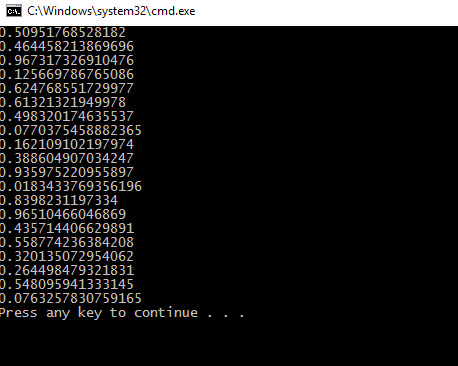
Figure 1: Output from our local functions example
As I’m sure you’ve noticed, I’ve declared the local functions after they are called. With local functions, this is acceptable, and it’s one of the features that separates local functions from lambdas.
Take this next code sample, for example…
static void RecursiveTest()
{
   Action printMessageDelegate = () => {
      Console.WriteLine("Delegae called");
   };

   printMessageDelegate();

   printMessageLocalFunction();

   void printMessageLocalFunction()
   {
      Console.WriteLine("Local function called");
   }
}
The printMessageDelegate must be defined before it is called; but, below that, we can see our local function working happily even though it was defined after its point of call. There are other differences between lambdas and local functions that may interest you, but the primary one is that of performance. If it can be done with a local function, you’ll see the performance benefits where high performance code is required; you’ll be rewarded for using them.
Conclusion
After speaking with a number of other developers, I’ve determined that local functions are a very welcome addition to the C# language, and one that I hope will assist your good self in your day to day code duties.
If you have any questions about this article, please find me on Twitter @GLanata.