


Introduction
The .NET Framework architecture got a drastic change with the invention of Windows Presentation Foundation (WPF).
Before we delve into WPF shapes, we need to define an important aspect of WPF elements–the UIElement. The UIElement is the core base class for building presentations on WPF. UIElements define the key rendering behavior of presentation elements. They also support a rich-set of events.
A shape in WPF is only a type of UIElement. It enables you to draw different UIElements to be arranged on a screen to obtain a shape object. Note that since these are event driven, you can make these shapes rich and user-interactive.
WPF provides us a rich set of such shape classes such as, Path, Polygon, Rectangle, Ellipse and many more. It also provides 3D shapes.
The key properties of a shape Object are:
- Stroke – Stroke represents the Color of the UIElement that comprises the respective shape object
- Stroke Thickness – Stroke Thickness – represents the thickness of the Stroke UIElement
- Transformation – Specifies the measure for the transformation. Read on MSDN for a view on this
Now to begin drawing shapes, let us begin with the Line object. The Line class derives from the shape class. The Line is a connector between a series of points. The Line object is controlled through the X & Y attributes. The sample XAML code below shows you how:
<Grid>
	<Line X1=”12″  Y1=”12″ X2=”89″ Y2=”89″ Stroke=”#D87A79″ 			    		StrokeThickness=”3″ />
</Grid>
This is how the Line object is rendered.
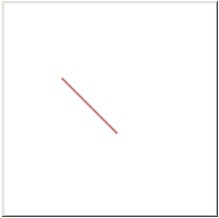
Figure 1
The Rectangle class also derives from the shape class. The Rectangle class gives you a rectangular object of specified width and height. Look below at the sample code:
<Grid Height=”110″ Width=”158″>
       <Line X1=”29″  Y1=”7″ X2=”129″ Y2=”101″ Stroke=”#D87A79″ 						StrokeThickness=”3″ />
       <Rectangle Width=”100″ Height=”100″ Stroke=”Red” StrokeThickness=”3″/>
</Grid>
This is how the Rectangle object is rendered.
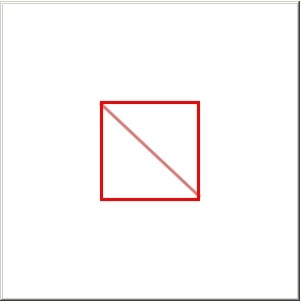
Figure 2
We can also mark the shape objects with some more attributes and make it colorful. The first attribute that helps us in this regard is the Fill property of the Rectangle class. The fill property type is color and applies the color to the entire rectangle object. The radius attributes are the other ones which help us to change the corners of the rectangle object.
The below sample code shows you how to apply the fill, radius attributes.
<Grid Height=”110″ Width=”158″>
      <Rectangle Fill=”Blue”  Width=”100″ Height=”100″ Stroke=”Red” 			StrokeThickness=”3″ RadiusX=”10″ RadiusY=”10″ />
</Grid>
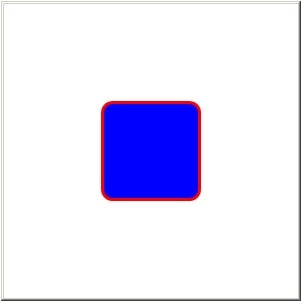
Figure 3
Other interesting built- shape objects in WPF include the Ellipse and the Path.