


Managed Extensions Example That Calls the Amazon Web Service
Welcome to this week’s installment of .NET Tips & Techniques! Each week, award-winning Architect and Lead Programmer Tom Archer from the Archer Consulting Group demonstrates how to perform a practical .NET programming task using either C# or Managed C++ Extensions.
I recently attended a major conference where I was surprised to hear many extremely intelligent and talented programmers state that they had not spent a lot of time working with or investigating Web services and what they could do for their companies. When I asked a few of them why, I was shocked to hear that many of them had gotten the idea that Web services were just too much of a pain to work with from C++. I do agree that writing a Web services client from an MFC application requires several steps. However, the magic of Visual C++ is that you can mix native (non-.NET) and managed (.NET) code. Therefore, in this week’s installment of the .NET Tips & Techniques series, I’ll illustrate just how easily you can access a Web service using the .NET Managed Extensions to C++.
Notes on the Amazon Web Service and This Article
The example I chose calls the Amazon Web Service to perform a search based on the passed ISBN value.
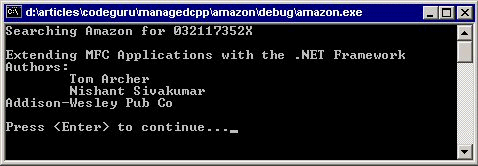
Obviously, my intention is not to document the Amazon Web Service (it’s very large and extremely well documented on their Web site), but to illustrate that calling a Web service is as easy as writing a couple of lines of code. I simply chose Amazon because it’s a Web service that everyone can access.
Also note that to run the code shown in this article (or in the attached demo), you need to acquire your own “developer token” from Amazon. It is completely free and comes with no strings attached. You can acquire your developer token here.
When you have your developer token, simply plug it into this article’s attached demo. You do not need to download the Amazon Web Service Toolkit in order to use this example. However, if you wish to do so (it’s also free and comes with no obligation), the toolkit can be downloaded here and comes with tons of great examples written in many languages..