


Introduction
Windows Phone platform supports applications that run in trial mode. This ability can be used by Windows Phone developers to get users hooked on the application, which provides an opportunity to convert these users to paying customers.
Building applications that support trial mode is very easy with Windows Phone. Moreover there is no need to build two flavors of your application – one for trial mode and one without. You can do with one version that supports both the modes.
Licensing Basics
Whether the application is a trial version or a full version is stored in a license. This license is installed during the process of application installation. Trial licenses do not expire, however, when the user purchases the full version, the license information is updated and the trial license is updated with a full license.
To make the purchase experience easy, Windows Phone framework provides the ability to invoke the marketplace client.
Windows Phone developers can use the LicenseInformation class in the Microsoft.Phone.Marketplace namespace to check whether the application has a trial license or not.
Hands On
Let us create a Windows Phone demo that supports trial mode. In our mock application, we will offer the ability to play sound for all users and the ability to play FX effects to only the paid version of the trial. Morever, we will also provide the ability for the user to buy the application from the trial version(s) he has downloaded.
Create a new Visual Studio application called WPTrialSample.
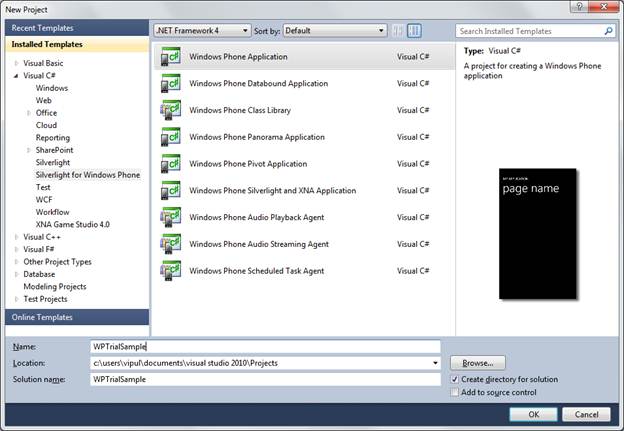
Create a new Visual Studio application
When prompted for the target Windows Phone OS version, select WP 7.1 and click OK.
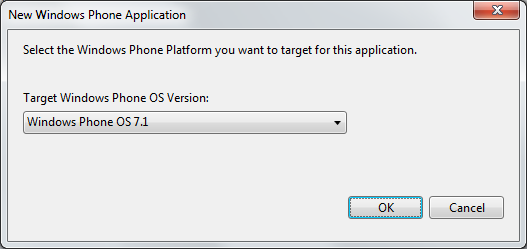
Select the Windows Phone Platform
Next, add 2 check boxes called “Sound” and “FX effects” and two buttons called “Start” and Purchase.”
Include the Microsoft.Phone.Marketplace namespace in our MainPage class.
using Microsoft.Phone.Marketplace;
Next, create a local variable of class LicenseInformation, which will be used to see if the application is a trial version or not.
public partial class MainPage : PhoneApplicationPage
    {
        static LicenseInformation license = new LicenseInformation();
        // Constructor
        public MainPage()
Next, implement a helper function, which checks whether the license is a trial version or not.
public bool IsFullLicense()
        {
            return !license.IsTrial();
        }
Next, in the constructor, we check for the license information, and if the application is a trial version, we do not enable the “FX Effects” option. This will ensure that in the trial mode, only “sound” option is available. Additionaly, we will enable the Purchase button only if the application is trial mode.
public MainPage()
        {
            InitializeComponent();
            checkBoxFXEffects.IsEnabled = IsFullLicense();
            buttonPurchase.IsEnabled = !IsFullLicense();
        }
Next, we need to implement what action occurs when users click the Purchase button.
We will need to create an instance of the marketplace task and link it here and ask for it to be shown when the application click event is triggered.
If you are having trouble following along, you can download a copy of this exercise below.
If you are running under the emulator, the licensing information will default to full version, So do test your features on a device.
Summary
In this article, we showed how easy it was to use the LicenseInformation class to derive the licensing information. I hope you have found this article useful.
About the Author
Vipul Patel is a Program Manager currently working at Amazon Corporation. He has formerly worked at Microsoft in the Lync team and in the .NET team (in the Base Class libraries and the Debugging and Profiling team). He can be reached at vipul_d_patel@hotmail.com