


Introduction
There are cases when Windows Phone developers need to retrieve device information so that they can author their applications to draw the maximum possible juice from the device. They can also use this data to see what hardware their customers use and optimize their application to provide a better experience for the most popular harware.
Device Information
Windows Phone platform has a rich set of APIs to support getting device information. These APIs reside in the DeviceStatus class in the Microsoft.Phone.Info namespace.
The DeviceStatus class has APIs to get information like the hardware version of the phone, total memory on the phone, etc.
Hands-on
Let us write an application that gets the device information and displays it to the user.
Create a new Windows Phone application called WPDeviceInfoDemo.

Create a new Windows Phone application
When prompted for the target OS version, select WP7.1 and click OK.
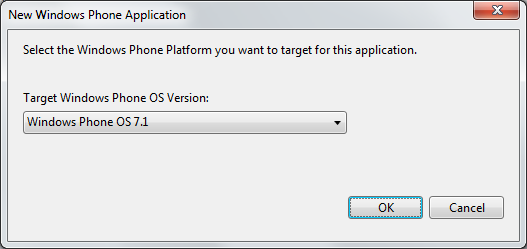
Select the Windows Phone Platform
Next, add controls on the MainPage to display “Current memory”, “Total memory”, “Device Hardware version”, “Device Firmware Version”, and a checkbox to show if a “Physical Keyboard” is present. Add a button titled “Get Device Data,” which we will use to get the device information.
Next, open MainPage.xaml.cs and include the Microsoft.Phone.Info namespace.
using Microsoft.Phone.Info;
Next, add an event handler for the click event on the button. In this method, we will get the device information using the methods of the DeviceStatus class.
private void buttonGetDeviceData_Click(object sender, RoutedEventArgs e)
        {
            textBlockCurrentMemoryValue.Text = DeviceStatus.ApplicationCurrentMemoryUsage.ToString();
            textBlockTotalMemoryValue.Text = DeviceStatus.DeviceTotalMemory.ToString();
            textBoxDeviceFWVersion.Text = DeviceStatus.DeviceFirmwareVersion;
            textBoxDeviceHardwareVersion.Text = DeviceStatus.DeviceHardwareVersion;
            checkBoxPhysicalKeyboardPresent.IsChecked = DeviceStatus.IsKeyboardPresent;
        }
We are now ready to build and test our application. If you are having issues compiling the code, you can download copy of the source code below.
When you run the application, you will find that when you click the button, the device information is retrieved and shown on the screen.
Caveat: If you run the application in an emulator, the device hardware and device firmware will be reported as 0.0.0.0.

The device information is shown on the screen
Other uses
You can also use the DeviceStatus calss to see the power source for the device, and also whenever a physical keyboard is deployed.
Summary
In this article, we learned how we can get device information.
About the author
Vipul Patel is a Program Manager currently working at Amazon Corporation. He has formerly worked at Microsoft in the Lync team and in the .NET team (in the Base Class libraries and the Debugging and Profiling team). He can be reached at vipul_d_patel@hotmail.com