


Error handling and exceptions are the bane of all BizTalk integration projects. When too many errors occur, people begin to wonder why your company continues to use an integration application. It you automatically handle too many errors during development, your application will never advance beyond the testing stage. You simply cannot conceive of every possible error. At some level, you need to build human intervention into the application.
Human intervention for error handling often requires business knowledge as well as access to the tools to handle the exception. How do you allow for human intervention without requiring that all your application business users become BizTalk Server administrators or all your administrators become proficient business users? BizTalk 2006 failed message routing and InfoPath may be just the solution for you.
Using a sample garnered from the BizTalk 2006 SDK, this article shows how to implement human intervention features into your error handling.
Before jumping into the sample, an explanation of failed message routing would be helpful.
New in BizTalk 2006: Failed Message Routing
The BizTalk 2006 documentation includes a complete explanation of failed message routing. This section summarizes that documentation.
Failed messages are error messages resulting from processing errors in pipelines or adapters, or errors related to message routing. Thus, failed messages can result from exceptions on a send or receive port. So, for example, exceptions in a pipeline or a delivered message without subscribers would create a failed message.
Failed message routing is new in BizTalk 2006 and must be enabled on the port. Failed message subscribers can subscribe to information contained in the context of the error message. Error message context contains things such as port name, type of failure, and failure description. Subscribers can be either orchestrations or send ports.
You can use failed messaging for a variety of different error-handling scenarios ranging from simple notifications to a completely separate human workflow process. The sample in this article combines failed message routing with a BizTalk orchestration and InfoPath to fix errors and resubmit to BizTalk.
Sample Overview
The error-handling sample simulates an expense submission system. Figure 1 provides a graphic overview of the sample; Figure 2 shows where it is located.

Figure 1: Error-handling Sample Overview
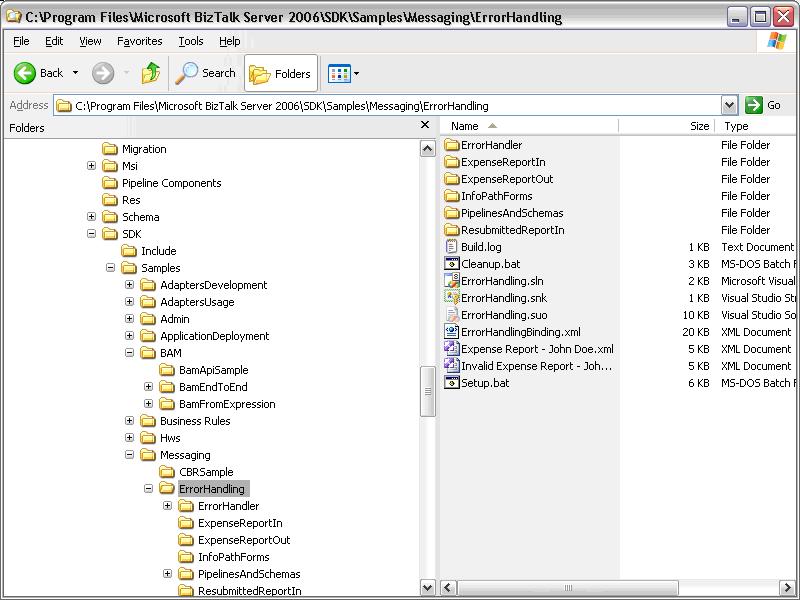
Figure 2: Location of Error-handling Sample
Expenses are loaded into an InfoPath form (see Figure 3) and submitted to a simulated “backend” system via the BizTalk file adapter.
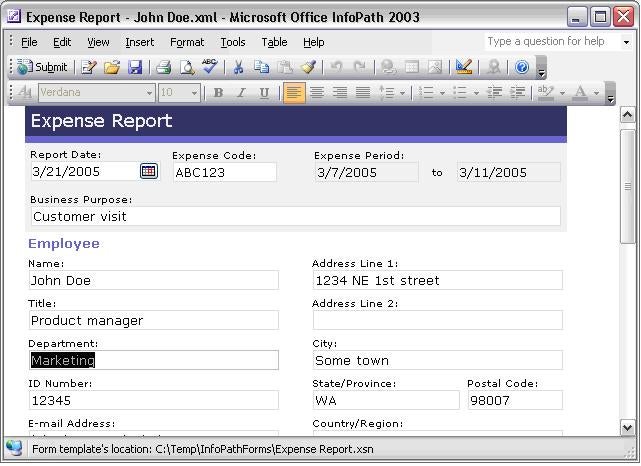
Figure 3: An InfoPath Form
For demonstration purposes, the backend systems are ExpenseReportIn and ExpenseReportOut folders. Only expenses from the Marketing department are accepted. Messages from other departments appear as error messages in the ExpenseReportOut directory. Errors are prefixed with Error and non-errors are prefixed with Expense. Figure 4 presents a sample error message.
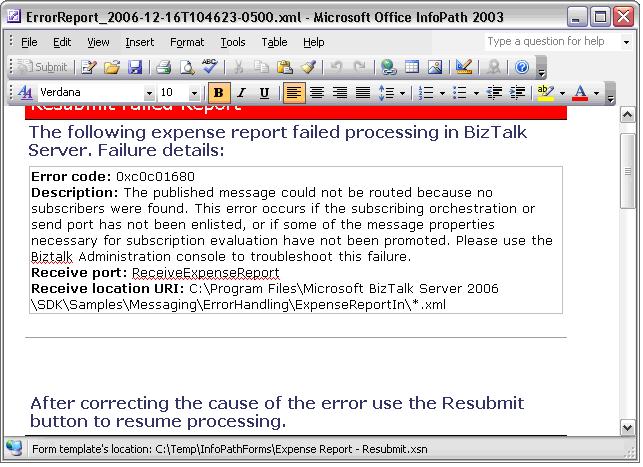
Figure 4: Sample Error Message
A user is allowed to edit and resubmit the error message within an hour of receiving it. The orchestration called ResubmitLogic handles the error message routing and resubmission process. Now that you know what the error message sample does, find out how it works.