Part I of this article contained needed background information and dealt with Winforms. You should read it before reading this article. This article, Part II, deals with Web Apps.
Background
This demo displays reports using two Web pages: Reports.aspx and Params.aspx. You could combine these Web pages, which is easy to do. These screens contain the following:
- Reports.aspx. This Web page has a pseudo-comboBox that displays a list of reports that the user can select from. When the user presses the “Get Report” button, a modal window called the Parameters Viewer will be launched.
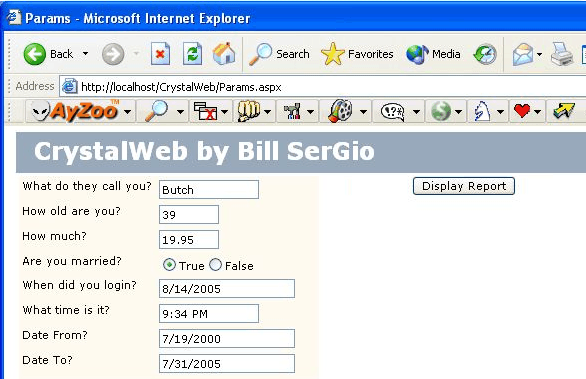
- Params.aspx. This Web page displays the parameters contained in the report selected in a datagrid that you dynamically add controls to to make selecting parameter values easier for the user. After setting the parameter values for the selected report, the user will close the Parameters Viewer and the Reports Viewer will display the selected report with the selected parameters.
Dynamically Adding Controls to Our Datagrid of Parameters
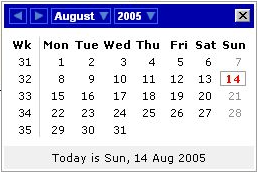
For the puposes of this article, I only implemented three control types: DateTime, TimePicker, and Radio Buttons (or CheckBoxes). For example, when a user clicks on the datagrid, if Column 2 has a value of “DateTime,” a DateTime Control will appear in the data cell for the user to select a “DateTime.” I should point out that some programmers prefer using a “Radio Button” for Boolean values, but I prefer using a simple CheckBox for Boolean values that I implemented in this demo. It should be obvious that you can implement ANY controls that turn you on or that a client requests.
The DateTime Picker Control
The DateTime Picker is a control that allows the user to select either a date, a datetime, and—if I get some extra time—I will add a time spinner to it. The source code for this control is included here.