


Introduction
When I was reading the MSDN.Net, I found an interesting topic on Windows services and FileSystemWatcher. So, I tried to write a Windows service that monitors the directory changes, writes an entry in the event log about the change, notifies the changes to the users by sending mail, and also converts the input XML file into a Dataset.
This service is useful in scenarios where the clients upload the files (say XML files) on the server and server will take care of processing the uploaded files and updating them in the database if they are valid.
Building the Application
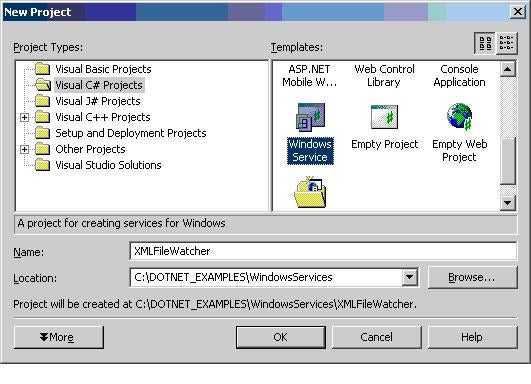
Start by creating a new Windows service project:
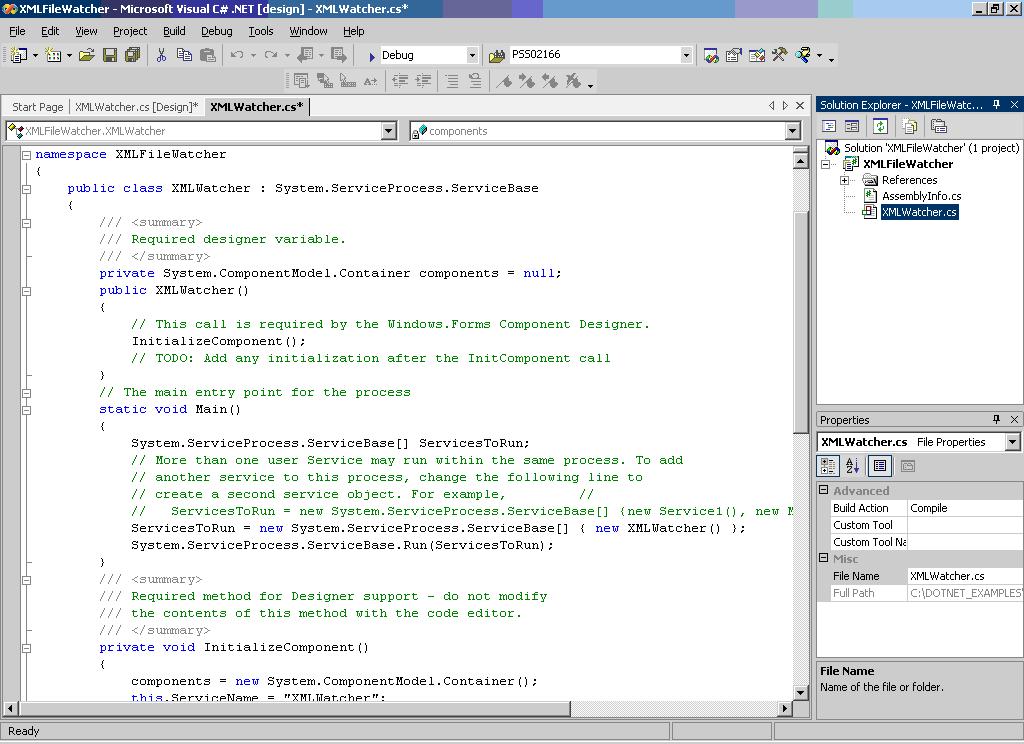
Change the service1.cs name to XMLWatcher.cs by editing the service1.cs properties in the solution explorer and also change service1 to XMLWatcher in the generated view code window.
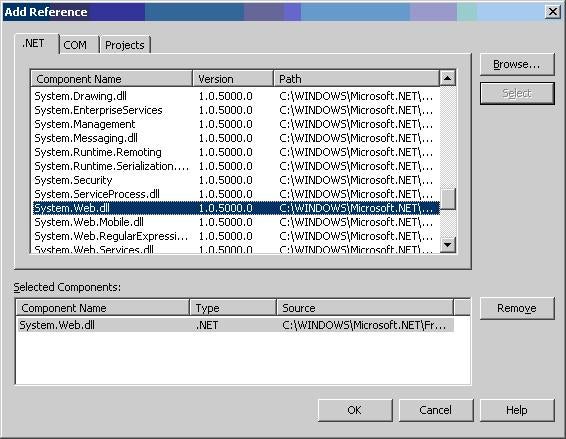
This application uses FileSystemWatcher to observe the directory changes and SmtpMail to send the mails. To access FileSystemWatcher and MailMessage (in SmtpMail), you need add the reference to System.IO and System.Web.dll to this project using Project->Add Reference. You should also add the reference to System.Data.dll to access ADO.NET objects.
Include System.IO, System.Web.Mail, and System.Data.SqlClient name spaces to this project.
using System.IO;
using System.Web.Mail;
using System.Data.SqlClient;
Now, write the code to initialize the Event Log, FileSystemWatcher, and MailServer in InitializEventLog (), IntializeFileSystemWatcher (), and InitializeMailServer () respectively and call them from the OnStart();.
/// <summary>
/// Initialize the Event Log
/// </summary>

private void InitializEventLog()
{
   //Check whether " XMLWatcherSource " exists or not
   if(!System.Diagnostics.EventLog.SourceExists("XMLWatcherSource"))
   {
      //Create "XMLWatcherSource" and "XMLWatcherLog"
      System.Diagnostics.EventLog.CreateEventSource
         ("XMLWatcherSource","XMLWatcherLog");
   }

   //Create Event Log
   el=new EventLog();
   //Assign Event Log Name
   el.Log="XMLWatcherLog";
   //Assign Event Source Name
   el.Source="XMLWatcherSource";
}

/// <summary>
/// Initialize File System Watcher
///
/// </summary>

private void IntializeFileSystemWatcher()
{
   //Create File System Watcher for XML files
   fsWatcher=new System.IO.FileSystemWatcher("c:\\temp","*.xml");
   // Add event handlers for new XML files and change of existing
   // XML files.
   fsWatcher.Changed += new FileSystemEventHandler(OnXMLFileChanged);
   fsWatcher.Created += new FileSystemEventHandler(OnXMLFileCreated);
   // Begin watching.
   fsWatcher.EnableRaisingEvents = true;

}


/// <summary>
/// Initalize Mail Server
///
/// </summary>

private void InitializeMailServer()
{
    mailMsg=new System.Web.Mail.MailMessage();
}


/// <summary>
/// Set things in motion so your service can do its work.
/// </summary>

protected override void OnStart(string[] args)
{
   // TODO: Add code here to start your service.

   //Initialize Event Log
   InitializEventLog();
   //Initialize File System Watcher
   IntializeFileSystemWatcher();
   //Initliaze Mail Server
   InitializeMailServer();

}
Now, provide event handlers for FileSystemWatcher. These event handlers are called when a file is changed or created.