


Introduction
By default LINQ uses deferred query execution. This means when you write a LINQ query it doesn’t execute. LINQ queries execute when you ‘touch’ the query results. This means you can change the underlying collection and run the same query subsequent times in the same scope. Touching the data means accessing the results, for instance in a for loop or by using an aggregate operator like Average or AsParallel on the results.
In this article I am using Visual Studio 2010, beta 1 and the .NET Framework 4.0. (The .NET Framework 4.0 will let you access Parallel extensions, which are used to illustrate touching the data.)
Before you begin to test the demo, select Project|project name Properties. Click on the Compile tab and the Advanced Compile Options in the low-center of the Compile tab. Change the Target framework (all configurations) option to .NET Framework 4-see Figure 1.

Figure 1: Specify .NET 4 to allow access to the parallel extensions-the AsParallel method-used at the end of this article.
Understanding Deferred Execution
By default LINQ employs deferred execution. This means all things being equal LINQ queries don’t actually run until you touch the results. For instance, if you write a query:
     Dim odds = From num In numbers_
              Where num Mod 2 = 1 _
              Select num
The query does not actually run at this point. The benefit is that you can run the query multiple times in the same scope. For instance, you could add values to numbers and re-access odds without writing a second LINQ query. An example of touching the data might look like this:
     For Each n In odds
     Console.WriteLine(n)
   Next
If you step through the code using the debugger then you will see the debugger step over the LINQ query, hit the for each statement-see Figure 2-bounce up to the where filter-see Figure 3-and then hit the Console.WriteLine statement in the for loop. Accessing the query through the anonymous type odds a second time follows the same flow, see Figure 4.
Listing 1 contains the code listing for the demo with the call to AsParallel added.
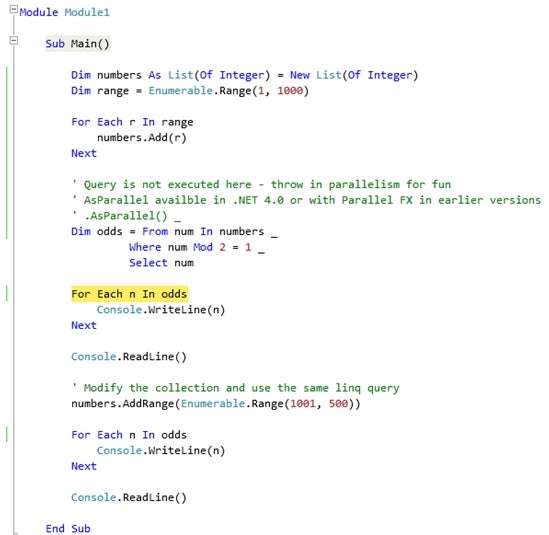
Figure 2: By default LINQ uses deferred execution, so the query is run until the results are touched.
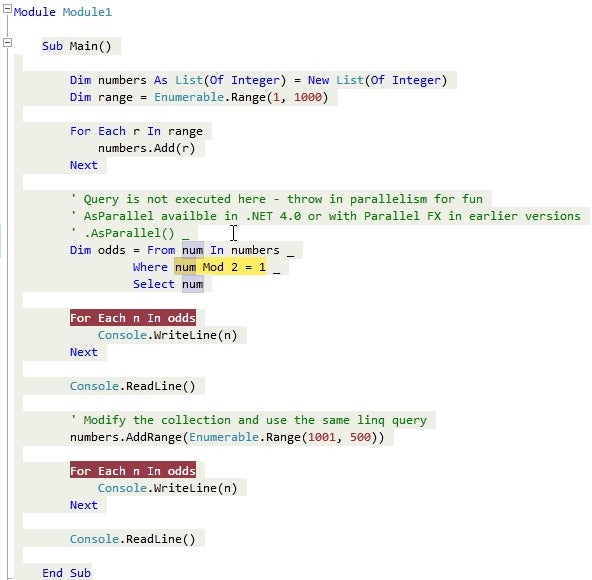
Figure 3: Notice that the debugger stepped from the for clause to the where filter.
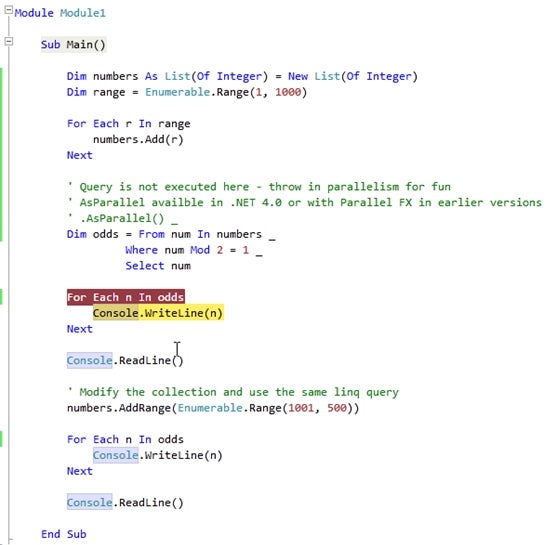
Figure 4: And, now the debugger writes the item returned from the query.
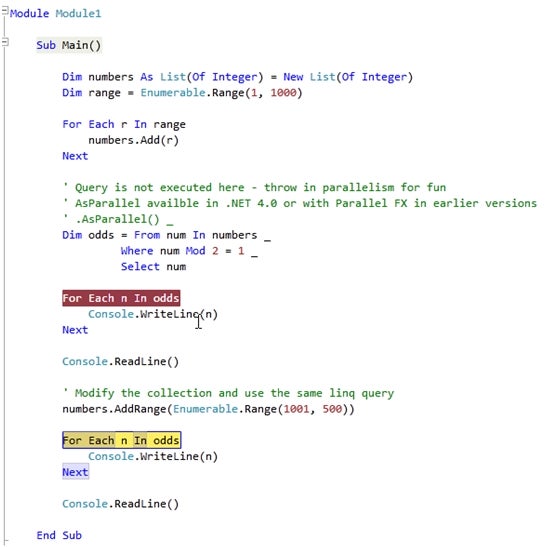
Figure 5: Accessing the query a second time executes the query results again without an additional LINQ statement.
Imports System.Linq
Imports System.Threading
Imports System.Collections
Imports System.Collections.Generic
Module Module1
    Sub Main()
        Dim numbers As List(Of Integer) = New List(Of Integer)
        Dim range = Enumerable.Range(1, 1000)
        For Each r In range
            numbers.Add(r)
        Next
        ‘ Query is not executed here – throw in parallelism for fun
        ‘ AsParallel availble in .NET 4.0 or with Parallel FX in earlier versions
        ‘
        Dim odds = From num In numbers.AsParallel() _
                 Where num Mod 2 = 1 _
                 Select num
        For Each n In odds
            Console.WriteLine(n)
        Next
        Console.ReadLine()
        ‘ Modify the collection and use the same linq query
        numbers.AddRange(Enumerable.Range(1001, 500))
        For Each n In odds
            Console.WriteLine(n)
        Next
        Console.ReadLine()
    End Sub
End Module
Listing 1: The complete demo listing with
AsParalleladded;
AsParalleltouches the query results, causing immediate execution.
Understanding Immediate Execution
Immediate execution happens when the query results are accessed at the point of definition. The easiest way to cause this is to call an extension method on the query. For example, by adding AsParallel to the numbers sequence the query results are processed. You don’t have to worry about deferred or immediate execution because the compiler handles it for you. Just keep in mind that deferred execution let’s you re-access a query.
Interestingly enough AsParallel behaves like immediate execution–the debugger doesn’t jump into the LINQ statement–but you can still change the data and re-run the query. This is some new magic I will have to explore further.
Conclusion
Every sufficiently new technology looks like magic or something like that. All I know is that there are very smart people in Redmond, speaking acronymic to save time, and playing a game of intellectual one upsmanship. You and I are the beneficiaries of this left-brained chess game. The trick is keeping up.
By default LINQ queries don’t run where defined; they run where accessed. Save yourself time by reusing queries whenever you need to instead of re-writing them.