


Introduction
DWM (Desktop Window Manager) is the new window composition engine introduced in Windows Vista. DWM is responsible for all the neat effects of Aero: Glass, Flip 3D, and so forth.
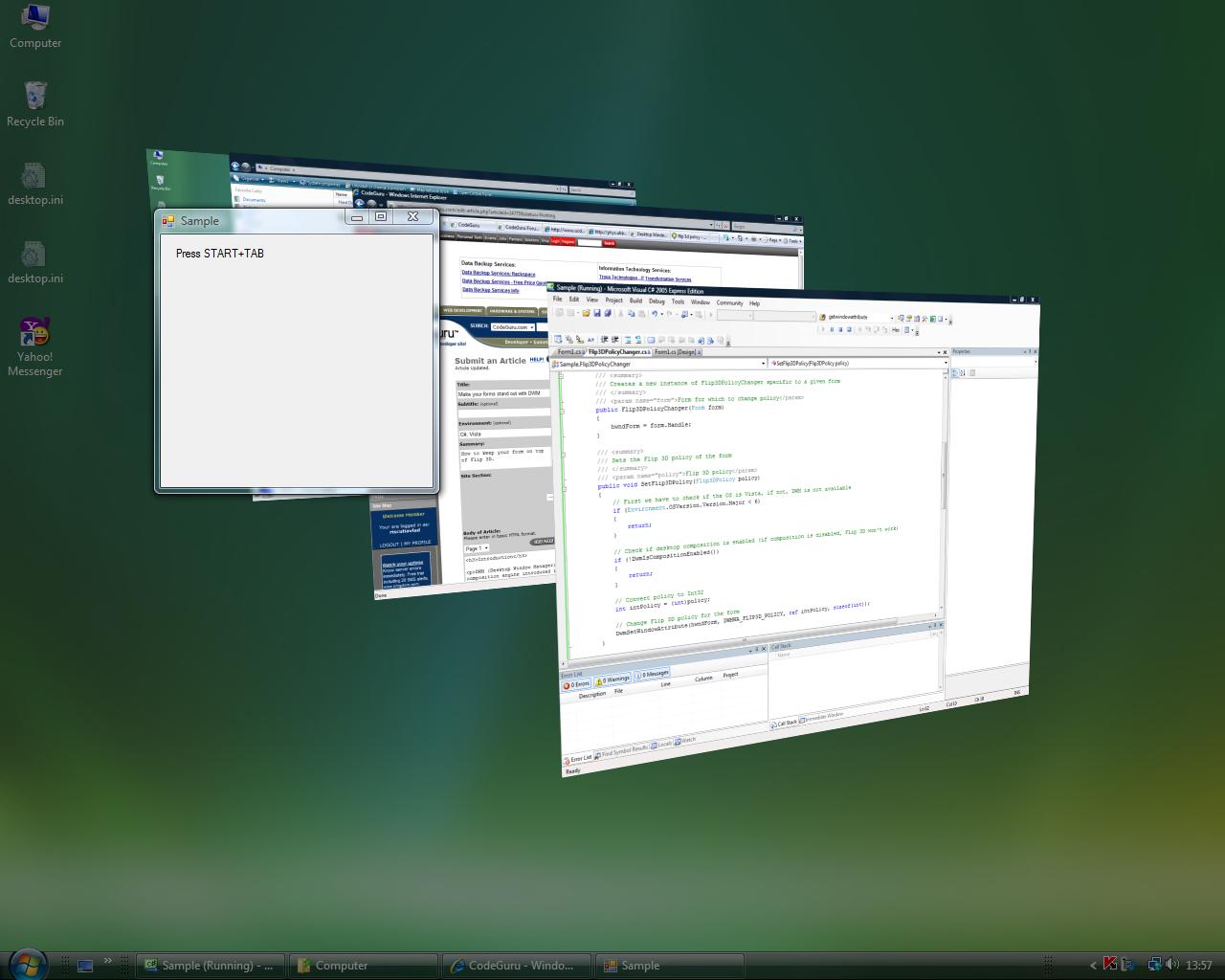
This article will show you how to make a form appear on top of all the other forms, even when using Flip 3D.
DWM API
The API is used to program against the DWM. It provides methods that cover all the new UI visual effects in Vista. For this article, however, you only need two of those methods: DwmIsCompositionEnabled, to check whether window composition is enabled; and DwmSetWindowAttribute, to change the way Flip 3D treats your form. In C, the functions look like this:
HRESULT DwmIsCompositionEnabled(BOOL *pfEnabled);

HRESULT DwmSetWindowAttribute(HWND hwnd, DWORD dwAttribute,
   LPCVOID pvAttribute, DWORD cbAttribute);
Your C# external method declarations will look like this:
[DllImport("dwmapi.dll", PreserveSig = false)]
static extern bool DwmIsCompositionEnabled();

[DllImport("dwmapi.dll", PreserveSig = false)]
static extern void DwmSetWindowAttribute(IntPtr hwnd, int attr,
   ref int attrValue, int attrSize);
The PreserveSig attribute tells the .NET runtime to convert non-successful HRESULTS into .NET exceptions. You use .NET data types because the runtime is clever enough to make the right conversions.
The DwmSetWindowAttribute is called with a window handle, an attribute value that tells DWM which attribute you want to change, the value you want to set for that attribute, and the size of that value.
You can get the window handle from the Form.Handle property. Because here you want to change the way Flip 3D treats the window, you will use the DWMWA_FLIP3D_POLICY, which has a value of 8. The Flip 3D policies are as follows:
- DWMFLIP3D_DEFAULT: Treats the window normally
- DWMFLIP3D_EXCLUDEBELOW: Excludes the window from the flipping ones, and shows it below them
- DWMFLIP3D_EXCLUDEABOVE: Shows the window above the flipping windows
const int DWMWA_FLIP3D_POLICY = 8;    // The attribute

// Flip 3D policies
enum Flip3DPolicy
{
   Default,
   ExcludeBelow,
   ExcludeAbove
}
Final Touches
Before calling function from the DWM API, you have to make sure the running OS is Windows Vista because previous versions of Windows don’t have the API. You do this by checking whether the major OS version is not less than 6; 6 represents Vista.
Also, you need to check whether window composition is enabled by calling DwmIsCompositionEnabled(). If the OS is Vista and window composition is enabled, you simply call your method:
if (Environment.OSVersion.Version.Major < 6)
{
   // DWM not available
}
else if (!DwmIsCompositionEnabled())
{
   // Window composition is disabled - no Flip 3D
}
else
{
   int intPolicy = (int)Flip3DPolicy.ExcludeAbove;

   DwmSetWindowAttribute(form1.Handle, DWMWA_FLIP3D_POLICY,
                         ref intPolicy, sizeof(int));
}
Conclusions
This is just a small example of the capabilities of DWM. With the DWM API, you can create Glass and Blur effects, window Thumbnails, and even control and fine-tune the way composition works.