


Filling a ListView Dynamically from Any Data Sources
When I was developing different front-end data entry modules for data entry operators, I found that it is very common in different modules to fill a listview according to given query strings and I was designing a listview for each module from scratch. Then, I thought to make a user control that just takes a connection and query strings and adds columns to it dynamically and fills it in the data grid style. Thanks a lot, .NET user control features.
Then, I decided to modify this control, making it simpler, just to share an idea with you of how to fill the listview dynamically.
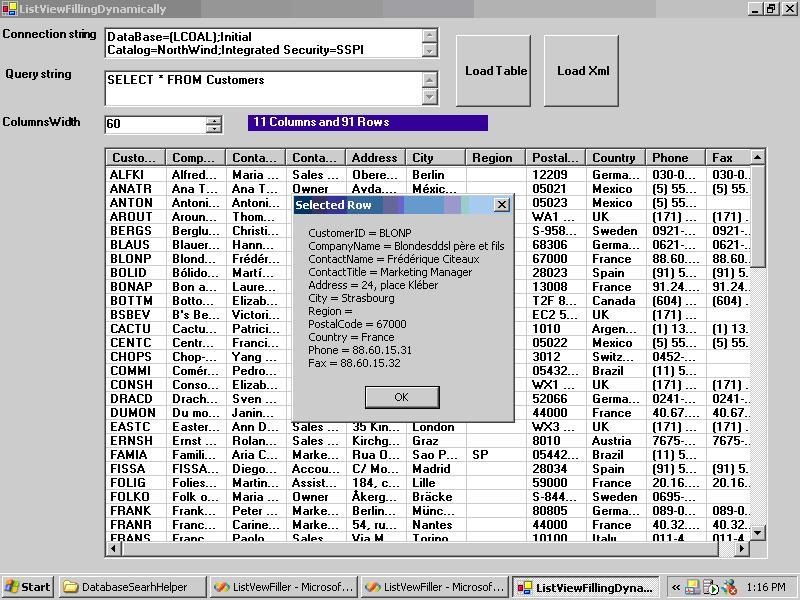
Let us consider the important parts of the code:
foreach(DataColumn c in ds.Tables[0].Columns)
{
   //adding names of columns as Listview columns
   ColumnHeader();
   h.Text=c.ColumnName;
   h.Width=Convert.ToInt32(this.numericUpDown1.Value);
   this.listView1.Columns.Add(h);
}
The above-mentioned code takes each column name from the query and adds it as the Listview Columns headers.
DataTable dt=ds.Tables[0];
string[] str=new string[ds.Tables[0].Columns.Count];
//adding Datarows as listview Grids
foreach(DataRow rr in dt.Rows)
{
   for(intcol=0;col<=this.ds.Tables[0].Columns.Count-1;col++)
   {
      str[col]=rr[col].ToString();
   }
   ListViewItem ii;
   ii=new ListViewItem(str);
   this.listView1.Items.Add(ii);
}
The preceding code snippet is a very important part of the code. We declare an array string equal to the numbers of columns, and then we fill this array with the help of a counter loop, using a foreach loop to ensure that each row has been filled. So, using this basic ideas control was ready to serve me.
However, when I used it with complex queries—for example, with 8 inner joins having more than 60,000 records—it hung and did not respond, so I had to restart my system.
Then, I decided to use my programming servants (threads) to share my burden after initializing a thread loaded with database querying. Hurrah!! I was jubilant now because I did not have to restart my system and even I could see adding records to the listview as smoothly as was a simple query. Thanks, threads (my friends now).
//check if thread is allow to run
if(this.runThread)
{
   ThreadStart ts=new ThreadStart(this.FillMethod);
   Thread t=new Thread(ts);
   t.Start()
}
This is very basic way of initializing a thread and passing it the reference of the method to be called.
So, enjoy the code.