


Editor’s note: This article presents an application using C# code and Windows Presentation Foundation (WPF). The source code is provided for you to dig into and play with.
Introduction
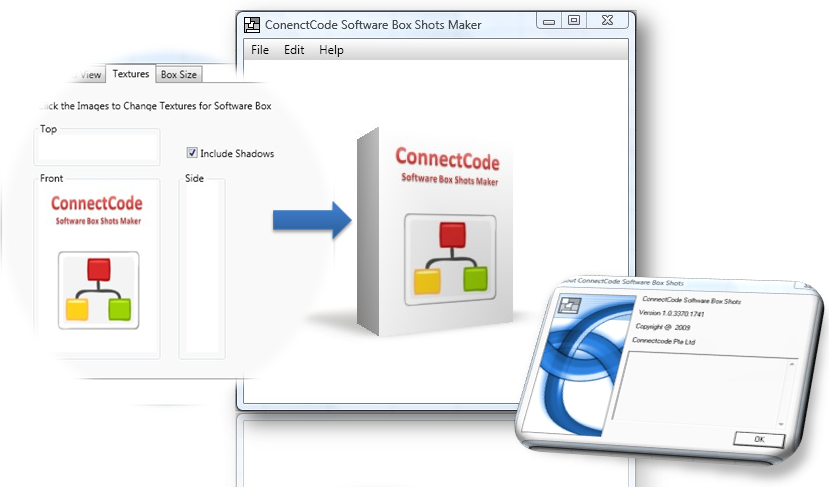
What is a Box Shot
A box shot is a 3D image of a software box. Box shots can help your software sell better. They project a professional image and give your customers an impression of a quality product. A boxshot is a great marketing tool. It encourages visitors on your website to examine your products in more details. Having one on your website gives you an advantage over your competitors, The reason is simple. The software with a better packaging will stand out from its peers.
ConnectCode Software Box Shot Maker
ConnectCode Software Box Shot Maker is able to create realistic images of 3D software boxes from existing logos and promotional materials. The user simply provides two to three images, adjust the box orientation and save the result as an image file.
Supported Features
- Slider-Based UI For Ease Of Use
- Rotation of Software Box
- Adjustments for Camera Distance , Camera Height , Camera Shift from the Software Box
- Textures for the Front, Top and Side
- Supports Shadows
- Box Size
Using the Code
This project is written in .Net 3 and utilizes the strengths of WPF 3D. The structure of the software is very simple. A scene is setup consisting of a camera, a rectangular box with six faces and several point lights. Each of the faces of the rectangular software box is painted with images specified as the Front, Side and Top by the user. The Bottom face of the rectanglar box is enlarged (scaled by a factor of 4) and used as the ground plane for drawing the shadows.
The visible five faces (excluding the Bottom Face) of the rectangular box are grouped into a single object known as softwareBox. This softwareBox is attached with both a scaling and a rotational Transform so that the box size and the box rotation can be adjusted.