


1. Introduction
Writing an application with good practices and proven
architecture design is comparatively easy if we are going to write a new
application. But most of the time we are working on existing applications,
where it is not easy to make changes. If we ever get the chance to rewrite the
existing application, we probably won’t repeat the same mistakes that we or
someone else made due to time constraints, technology limitation, scope creep
etc. It would be better if we could refactor the existing codebase for
betterment at the same time, with minimal or no risk effect.
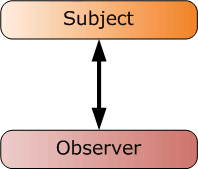
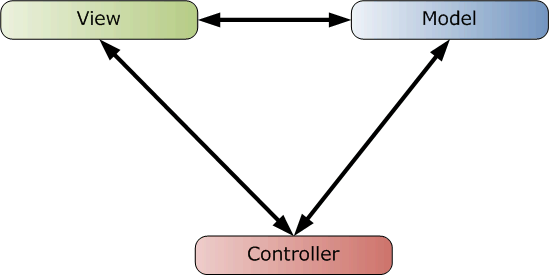
Figure 2: MVC
This approach has some advantages and disadvantages. The
main disadvantage is that our view is not totally independent of our model. Model View
Presenter (MVP) [3] handles exactly the same problem. In the MVP model there
is no relation between View and Model.
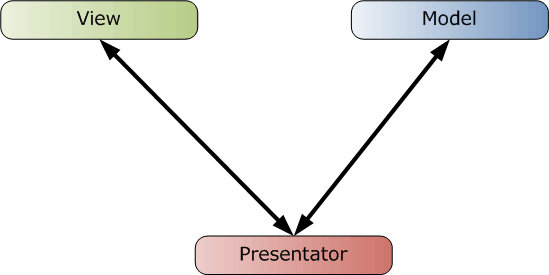
Figure 3: MVP
MVVM is very similar to MVP pattern. Or it is some sort of
specialized form of MVP pattern. In MVVM, Presentator is known as ViewModel.
Model communicates with ViewModel with notification and ViewModel communicates
with View with data binding and command binding as shown by this block diagram.
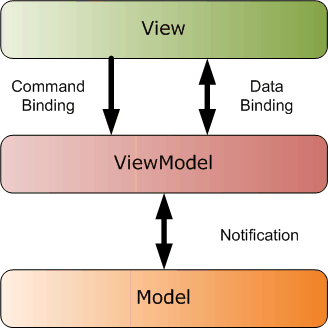
Figure 4: MVVM
Now let’s take a more detailed look at MVVM. What is the
biggest advantage of this? Its first advantage is that our presentation is
totally unaware of our model. We don’t write any user interface specific code
in ViewModel and all the communication is based on data binding and command
binding, which means we can easily write a unit tests for it. We can easily
change any user interface or even change the data model easily. Here is a
detail block diagram of MVVM.
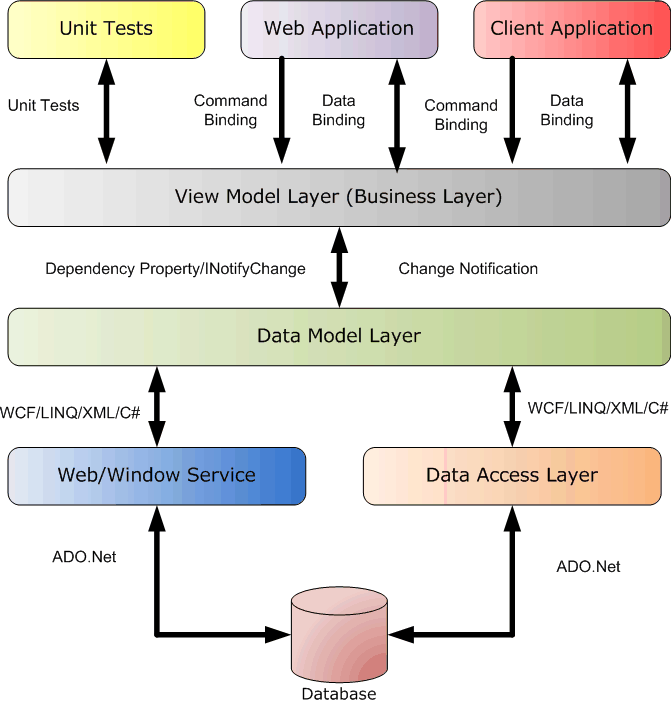
Figure 5: MVVM
This diagram explains how we can take advantage of MVVM. The
most important thing in this pattern is to properly design the ViewModel. WPF
has very orthogonal design. It means we can customize or enhanced different
parts of the library without affecting others. Most of the WPF reusability is
based on composition rather than inheritance; therefore we can take maximum
advantage of it, even at run time, because we can easily change the composition
behavior at run time but not the inherited components. In this block diagram we
see the major components of the WPF class library that we developed, enhanced
or customized in most of the WPF application.
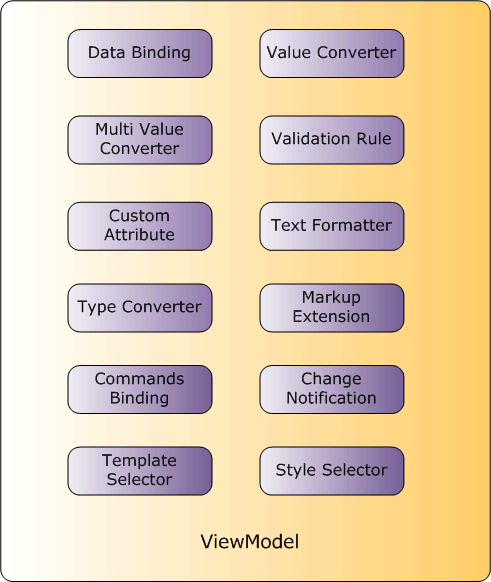
Figure 6: ViewModel